
A café menu can look ready to show customers even when one price is wrong. We gave GPT-6.2 Astra and GPT-6.2 Sol the same brief for a fictional café and asked each to make five slides. Then we checked the details a customer would rely on. Did the menu show the right prices? Did the closing slide repeat the right hours? Did either model promise something the café never offered?
Both models got every price right and needed zero factual corrections. For a short presentation where you already know the facts and slide order, we’d start with Sol. The clearest difference in this test came down to three words on Astra’s closing slide.
What we asked Astra and Sol to make
We reused Morning Crumb, the fictional café from our Gemini PDF editing test. In that earlier test, Gemini successfully changed the event time and combo price, but it also duplicated the menu and later added a promotional sentence. That gave us two things to watch for beyond checking the numbers.
Each model received the same final brief:
- Event: Morning Crumb, November 14, 2026
- Hours: 11 AM to 2 PM
- Menu: Cappuccino ₹180, Croissant ₹120, Special Combo ₹250
- Slide order: Event title and date, event hours, full menu, Special Combo price, closing reminder
- Design: Cream background, brown left-aligned heading, one teal line beneath the heading, and editable text
- Content limits: Use only the supplied facts. Leave out the address, discounts, reviews and combo ingredients.
How we ran the test: On November 19, 2026, we ran each model once in a separate Codex session. We requested editable HTML slides, opened the resulting files for inspection, and reviewed their text and layout settings without asking for revisions. The template was supplied in words. PowerPoint export, print rendering, generation speed and the ChatGPT Work interface were outside the scope of this test.
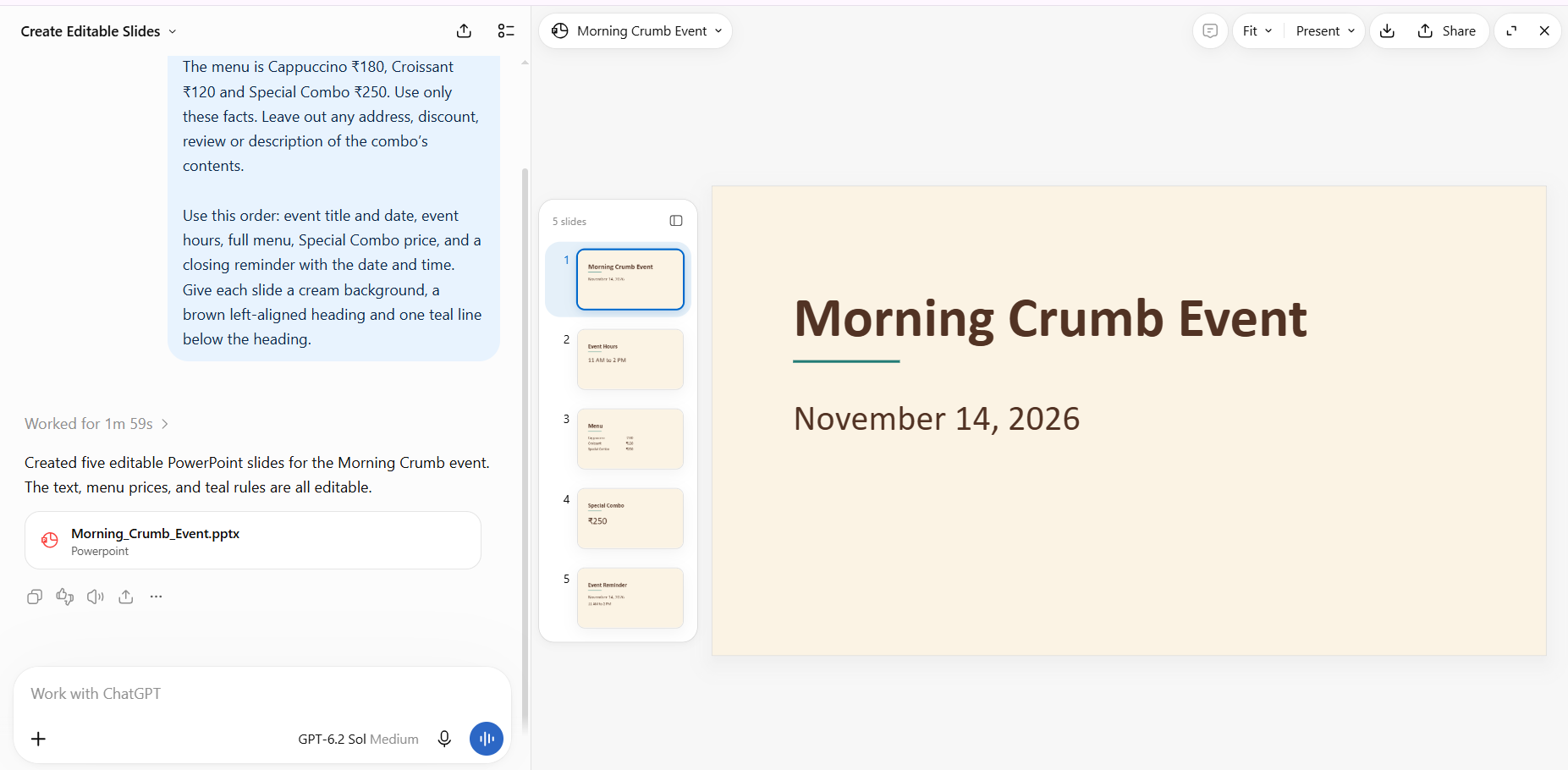
Did both models get the menu right?
Yes. On slide three, Astra and Sol both listed Cappuccino ₹180, Croissant ₹120 and Special Combo ₹250. On slide four, both repeated the ₹250 price correctly.
The combo was the most revealing detail. Our brief gave it a name and a price but never said what came with it. With a cappuccino and croissant listed above it, a writer might reasonably guess that the combo included both. Printing that guess on the slide would turn it into a promise to customers. Both models left the ingredients unspecified.
| What we checked | GPT-6.2 Astra | GPT-6.2 Sol |
|---|---|---|
| Five slides in the requested order | All five | All five |
| Three menu prices and repeated combo price | All correct | All correct |
| Closing date and hours | November 14, 2026, 11 AM to 2 PM | November 14, 2026, 11 AM to 2 PM |
| Invented offers, location, reviews or ingredients | None found | None found |
| Factual corrections needed | 0 | 0 |
Where did Astra and Sol differ?
Both models placed the menu items on the left and prices on the right. Their layout choices differed where the brief gave them room. Astra specified a bold, 66-pixel serif heading with a 3-pixel teal line underneath. Sol used a larger, regular-weight 76-pixel serif heading with a 4-pixel line. Both followed the written design instructions.
The difference a café owner would notice first was on the closing slide:
- Astra: “Save the date”
- Sol: “Event reminder”
Underneath, both gave the same date and hours. We preferred “Save the date” for a customer-facing slide because it gives the reader something to do. “Event reminder” would work equally well as a heading for an internal staff briefing. If the tone matters to you, telling the model who will see the slide may be more useful than switching models.
Which model should you use for slides?
Start with Sol if your brief is already clear. For a menu, class schedule or short project update, the important work is often preserving details across slides. Sol did that on its first attempt here. Astra’s result gave us no factual reason to redo this particular deck.
Try Astra when matching an existing presentation is the difficult part. A client may want a new sales deck to follow last quarter’s template, including title placement, chart labels and the amount of text on each slide. OpenAI highlights template following as an Astra improvement. We tested written design rules, so we’d want to see an actual client template before judging that use case. Read OpenAI’s model announcement.
Check which interface you’re using. OpenAI announced Astra and Sol on November 17, 2026. Its release notes place both models in the ChatGPT Work model picker. For background on how the previous generation handled everyday document tasks, see our GPT-6.1 Terra guide. Check the ChatGPT release notes.
A five-slide prompt you can reuse
Create five editable slides for Morning Crumb customers. The event is on November 14, 2026, from 11 AM to 2 PM. The menu is Cappuccino ₹180, Croissant ₹120 and Special Combo ₹250. Use only these facts. Leave out any address, discount, review or description of the combo’s contents.
Use this order: event title and date, event hours, full menu, Special Combo price, and a closing reminder with the date and time. Give each slide a cream background, a brown left-aligned heading and one teal line below the heading.
Add the file format you need to the final line. For our test, we requested an HTML deck with 960 × 540 slides. If you need an editable PowerPoint for a meeting, specify that format and open the exported file before sending it. Try changing one price yourself. That quick check tells you whether the menu text is editable in the file your client will receive.
What to check before you share the deck
Start with the source brief open beside the full menu. Check each item and price once, then find every place those details appear again. In our example, checking slide three alone would miss a wrong combo price on slide four or a wrong closing time on slide five. The same approach works for deadlines, contact details and figures in a client presentation. For a reusable verification process, see our guide to fact-checking AI answers.
For Morning Crumb, we’d use Sol’s deck and change “Event reminder” to “Save the date.” One small wording edit would give us the closing we preferred while keeping every verified detail intact.


