
Imagine opening your workday to a short briefing that tells you which customer needs a reply, which meeting you should prepare for, and which invoice still needs attention. Now imagine handing that assistant a bigger job and getting back a draft you can review after you close your laptop.
That is the idea behind Claude Duet, a proactive AI assistant introduced by Anthropic on October 21, 2026. It can look across connected apps, surface tasks that may need your attention, and carry out multi-step work on its own cloud computer.
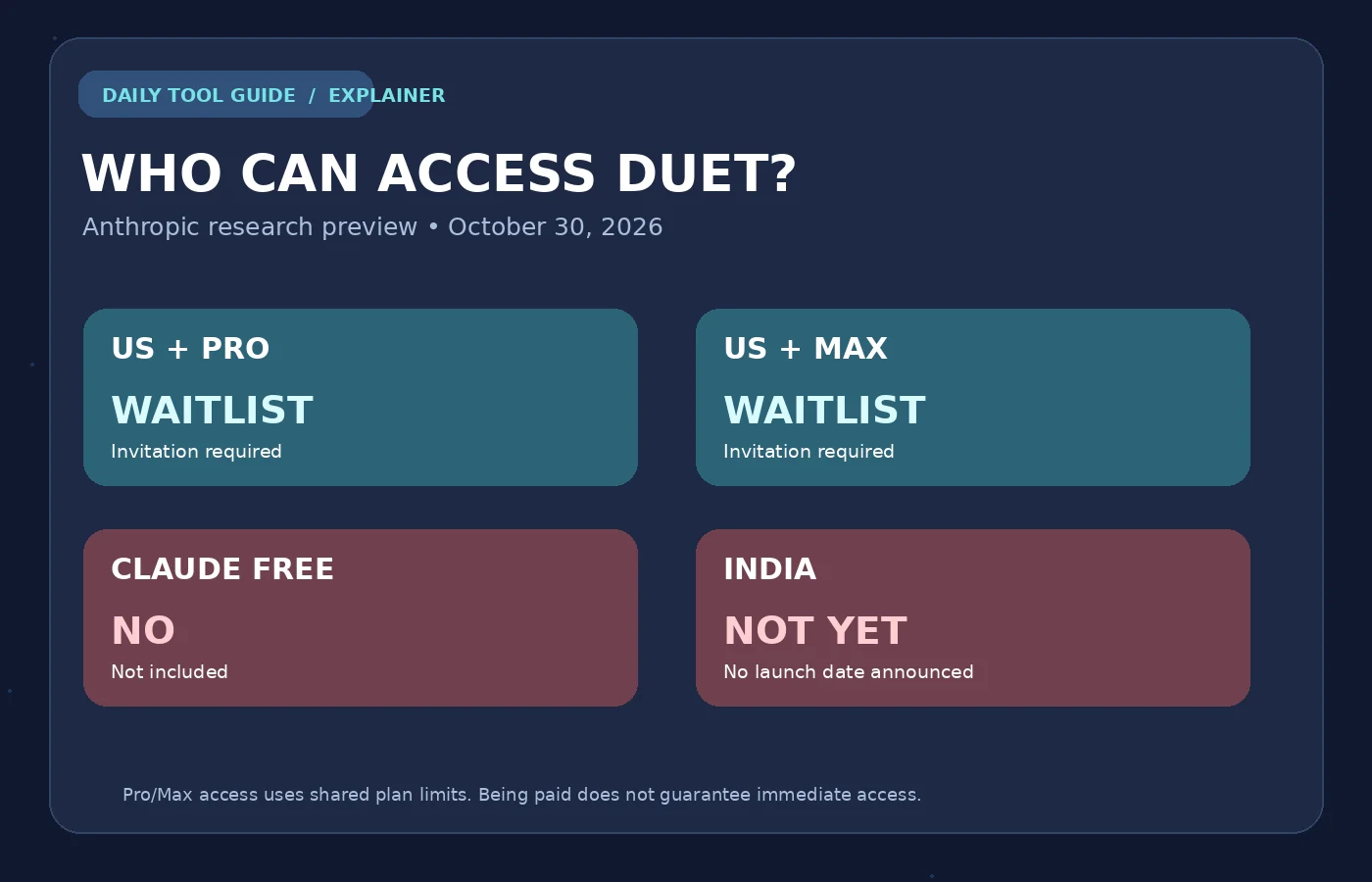
There is a major catch. As of October 30, 2026, Claude Duet is a US-only, invitation-based research preview for eligible Claude Pro and Max subscribers. It is not available on Claude Free, and Anthropic has not announced an India launch date.
Quick answer: Claude Duet is a separate, agent-style Claude experience for work. It can send morning briefs, draft replies, research topics, build deliverables and prepare actions for your approval. It is not an unlimited autonomous worker: it shares your plan’s usage limits, can make mistakes, and asks for your approval before consequential actions such as sending an email or making a payment.
Claude Duet at a Glance
| Details (as of October 30, 2026) | |
|---|---|
| Announced | October 21, 2026, by Anthropic |
| Status | Research preview, invitation required |
| Who can get it | US Claude accounts on Pro or Max |
| India | No launch date announced |
| Free plan | Not included |
| Model | Claude Opus 5.5 during the preview |
| Extra cost | None beyond an eligible Pro or Max plan |
| Usage limits | Shares your plan’s five-hour and weekly limits |
How we researched this: Daily Tool Guide reviewed Anthropic’s launch announcement, Help Center guidance, the October 23 safety explanation and published pricing. We have not personally accessed the US-only preview or run a hands-on test, so the examples and diagrams in this guide are educational illustrations, not screenshots or results from Claude Duet itself.
What Is Claude Duet?
Claude Duet is Anthropic’s proactive AI agent for professionals and small businesses. A normal chatbot usually waits for your next question. Duet can instead check connected work tools at intervals, flag something it thinks is important, and continue a task you assigned while you are away. You can communicate with it by typing or voice.
Duet carries over the memory, skills and connectors already set up on your Claude account, so an eligible user does not have to rebuild all their context from scratch. Behind the scenes it can work using a cloud computer and browser. The preview offers a main conversation, separate topic channels, a Tasks view for work in progress, and a Make area for larger files such as briefs or slide decks.
The key difference is not that Duet gives better one-off answers. It is that you can delegate a multi-step workflow, let it prepare the result, and step in where a human decision is required.
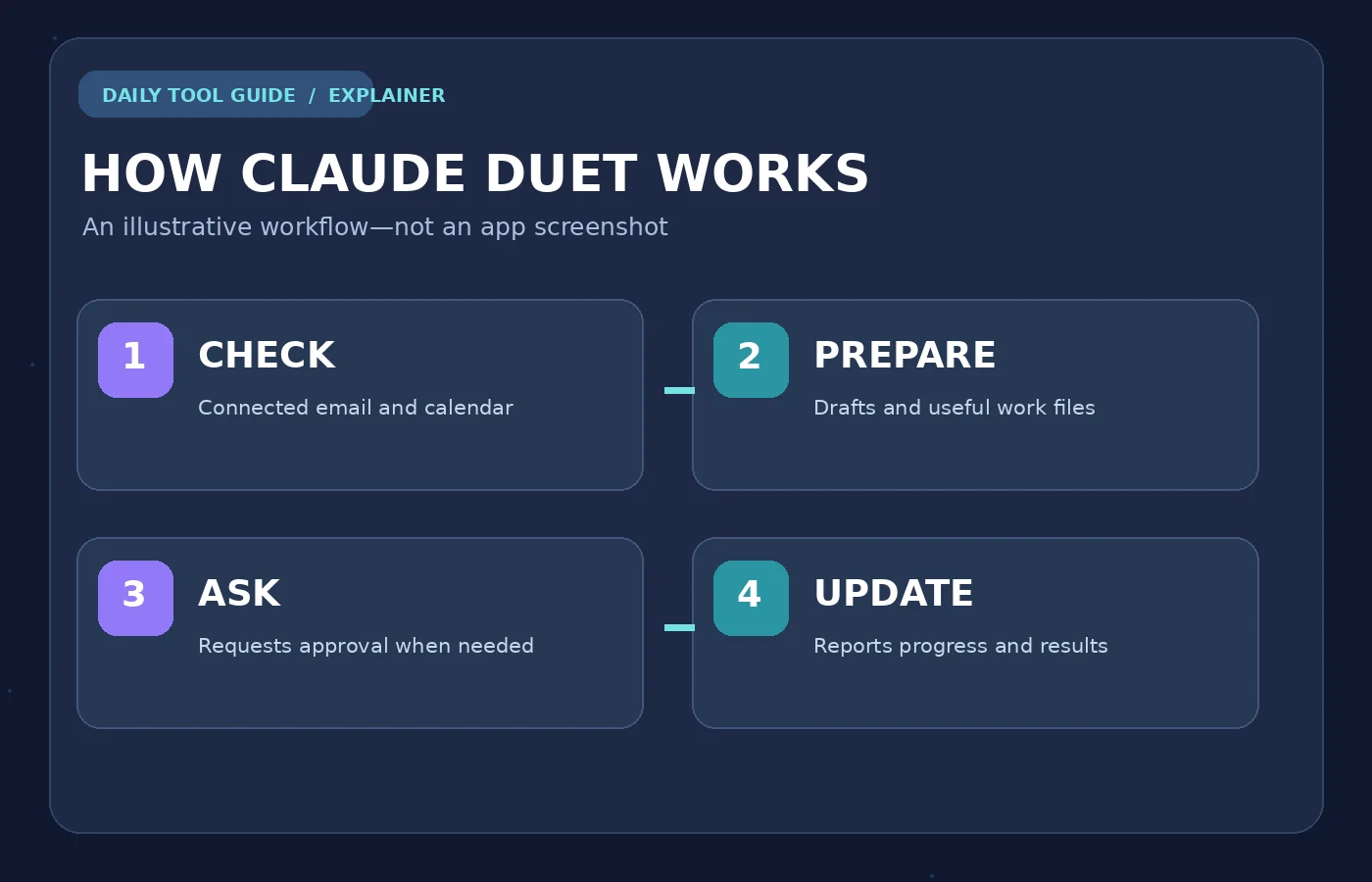
What Can Claude Duet Do? Four Practical Examples
These are illustrative requests based on Anthropic’s documented capabilities. We did not run them. What works in practice depends on your connected services, account permissions and the preview’s limitations.
1. Start your day with a work brief
Duet can check connected email and calendar information and produce a morning summary. Anthropic says checks happen at intervals, not continuously, so do not treat it as an emergency alert system.
Example request: “Every morning, summarize today’s meetings and client emails that need a reply. Separate confirmed deadlines from issues that only look urgent, and show where you found each item.”
2. Draft client replies without sending them
It can identify conversations that may need follow-up and draft messages for you to inspect. It is designed to request approval before it sends an email, which matters if your inbox holds sensitive client information.
Example request: “Find the client threads awaiting my response. Draft concise, polite replies, but do not send anything until I approve each message.”
3. Prepare for a meeting
Duet can use connected context and research to prepare a briefing: relevant people, previous discussions, key questions and an agenda. Ask it to separate confirmed facts from suggestions instead of assuming everything in a thread is accurate.
Example request: “Create a one-page briefing for my afternoon supplier meeting. Include the latest agreed pricing, unresolved questions and source links. Flag any information that needs verification.”
4. Produce larger, editable deliverables
The preview is designed for substantial work such as a research brief, financial model, slide deck, dashboard or draft marketing plan. These can appear as files in the Make area. With supported accounting connections it can also prepare invoice reminders, but preparing a reminder does not mean it may move money between bank accounts. Review figures, references, layout and formulas before relying on any finished file. For deck-building tips, see our guide to creating presentations with AI, and for the graphics side of a campaign, our Canva Craft guide.
Example request: “Prepare a two-week launch plan for a small coffee shop: three Instagram post concepts, a short email sequence and a review checklist. Save drafts only. Do not publish or send anything.”
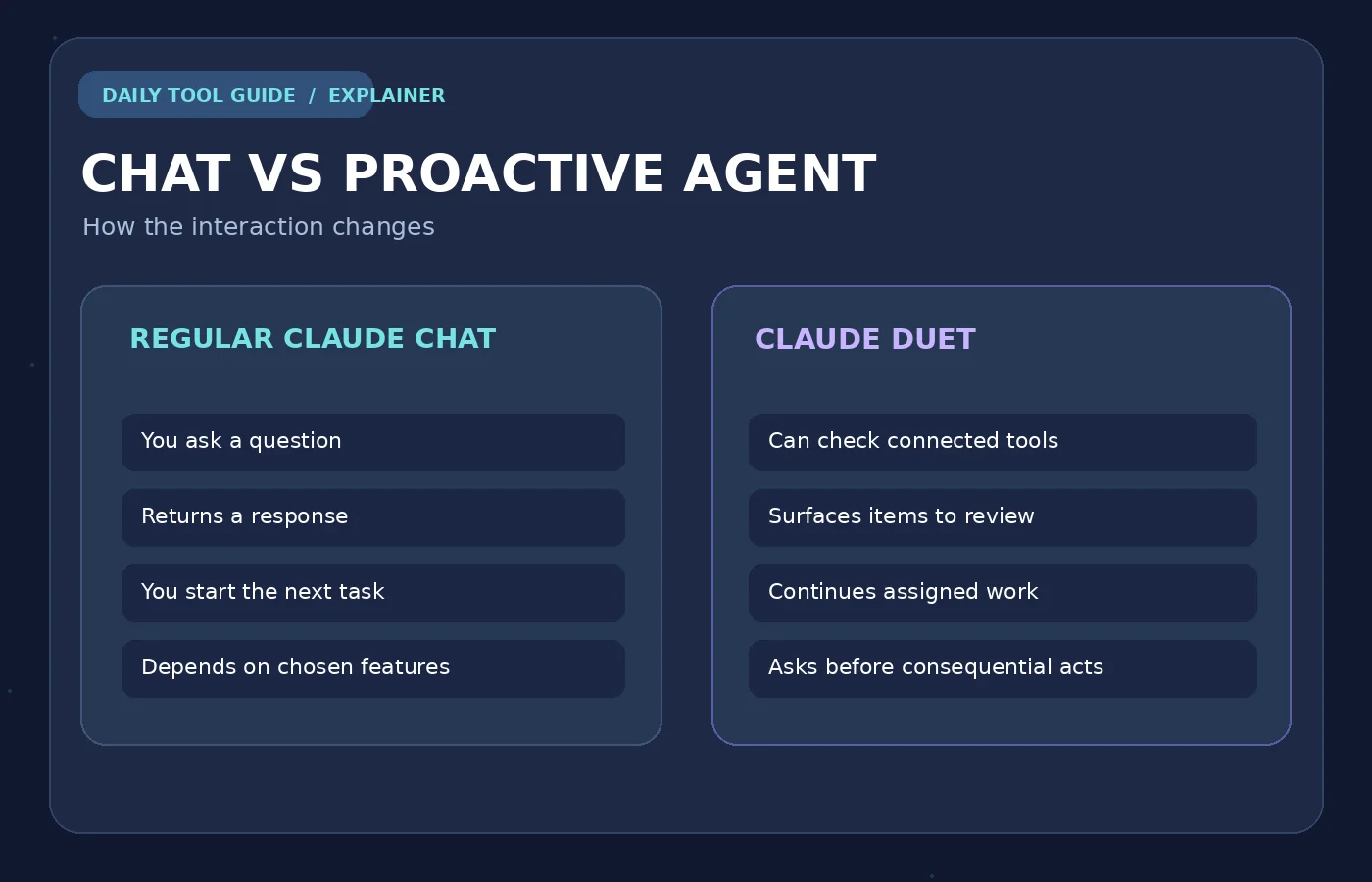
Claude Duet vs Regular Claude Chat
| Capability | Regular Claude chat | Claude Duet research preview |
|---|---|---|
| Interaction | Mainly responds to prompts | Can proactively surface tasks and work updates |
| Work timing | You start each task | Can continue assigned work in the background |
| Connected apps | Available where connectors are enabled | Draws on connected apps and checks them at intervals |
| Larger deliverables | Depends on plan and selected features | Designed for multi-step files, briefs, dashboards and decks |
| Approval controls | Varies by tool or integration | Explicit approval for consequential actions |
| Availability | Broader, including a Free plan | US Pro and Max, invitation only during the preview |
Do not confuse Duet with Claude Cowork, Claude Code or Claude Motion. Those are different Claude experiences. Duet focuses on proactive coordination and delegated work across connected services, while Motion is a visual animation feature. See our Claude Motion explainer for that release.
Is Claude Duet Free? Price and Usage Limits
No. Duet is not included on Claude Free in this research preview. Anthropic currently includes access at no additional charge beyond an eligible Pro or Max subscription, but only for invited US accounts.
According to Anthropic’s US individual pricing, Claude Pro is $20 per month when billed monthly, and Max starts at $100 per month. Prices, taxes and billing options can differ by region, so check Anthropic’s pricing page. Paying for a plan does not guarantee an invitation.
| Plan | Claude Duet access as of October 30, 2026 |
|---|---|
| Free | Not included |
| Pro | US waitlist; invitation required |
| Max | US waitlist; invitation required |
| Team / Enterprise | Not available in this preview yet |
| Users in India | No launch date announced |
Usage matters. Duet shares the same five-hour session and weekly usage limits as your Claude plan. Morning briefs, recurring account checks and longer background tasks all use capacity, so “included with Pro” does not mean unlimited Duet work. Anthropic also documents a one-time usage-limit reset for admitted preview users, with a November 30, 2026 deadline. Check the Help Center for the exact terms before assuming it applies to you.
Can You Use Claude Duet in India?
Not officially. As of October 30, 2026, Duet is limited to US accounts and Anthropic has not announced an India release date.
We recommend waiting for an official expansion rather than:
- using a VPN to join the US waitlist,
- buying a subscription only for Duet, or
- entering your login or credentials on unofficial “early access” websites.
Even a paid plan does not guarantee an invitation, and invitations are issued in waves.
What can you use in India today? If your goal is brainstorming, drafting or summarizing, regular AI chat tools can already cover much of it without waiting for a proactive agent. For example, see our explainers on OpenAI Dots, GPT-6.1 Terra and Gemini’s new file editor. Availability and pricing vary by tool and region, so check each provider’s own page before subscribing. You can also read our Google Gemini review to compare what another major assistant offers.
How to Join the Claude Duet Waitlist (If You’re Eligible)
If you meet the current requirements, Anthropic’s official steps are straightforward:
- Open Anthropic’s Claude Duet product and waitlist page.
- Make sure you are using a US Claude account on a Pro or Max plan, and join the waitlist with the same email address you use for Claude.
- Look for Anthropic’s invitation email. Invitations go out in waves, and there is no guaranteed admission date.
- After you are invited, open Duet on the supported web or standalone mobile app and review its connected-app permissions.
- Start with one low-risk request, such as a meeting brief or a draft reply, and review the result before approving any external actions.
Because access is restricted, these steps come from Anthropic’s documentation, not from our own account. Interface labels may change during the preview.
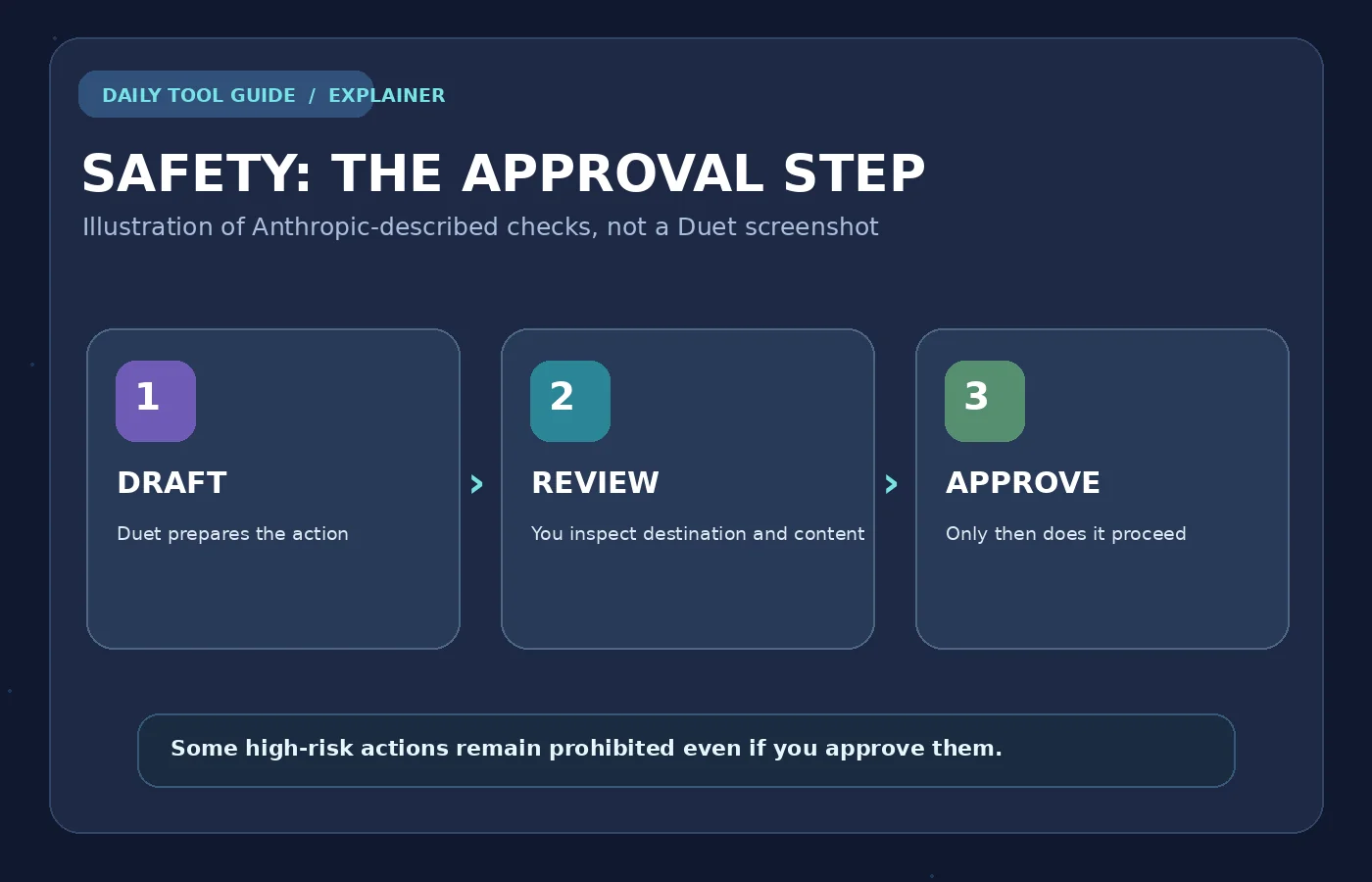
Is Claude Duet Safe? Privacy and Approval Controls
A proactive assistant connected to email, calendars and business tools can handle sensitive information. Anthropic’s October 23 safety document describes several layers of protection, including approval checks and defenses against malicious instructions hidden in web pages or messages.
Before consequential actions, Duet is designed to show what it intends to do and ask for approval. This includes sending messages, making payments, signing documents and deleting information. Some actions stay prohibited even if you approve them, including securities trading and transferring funds between accounts.
Anthropic also says the assistant’s working model is kept separate from passwords, browser cookies and app tokens, and that sign-in information goes through isolated infrastructure. These are Anthropic’s stated safeguards, not an independent security audit by Daily Tool Guide, and they cannot remove every risk. Anthropic itself acknowledges that the preview can make mistakes and that its safety classifiers may miss or overflag content.
For day-to-day use, treat Duet as a prepare-and-review assistant. Check recipients, amounts, permissions and the original source before approving important work. Our guide to fact-checking AI answers covers a verification method you can reuse. Disconnect apps you no longer want it to access, and consider what it may already have retained in memory.
Claude Duet Limitations to Know Before Signing Up
- No model picker: The Help Center says Duet uses Claude Opus 5.5 during the preview.
- No live browser takeover: You cannot currently watch its cloud browser or take it over while it works.
- Not a real-time monitor: Connected accounts are checked at intervals, so urgent messages can arrive between checks.
- Not full computer access: It cannot inspect every local file or project on your device, and its access to some Claude work is read-only.
- Connector gaps: Some integrations have limitations. Microsoft 365 is not yet supported in Duet.
- Limited external communication: It can prepare and, with approval, send connected emails, but it does not call or text people.
- Errors still happen: It may misread a conversation, prioritize the wrong item, or produce flawed drafts or calculations.
A Sensible First-Week Test Plan (for Invited Users)
Instead of giving an agent access to everything at once, try a controlled progression. This is Daily Tool Guide’s suggested evaluation process, not something we tested.
Day Low-risk task What to verify 1 Summarize a meeting agenda Are source details and dates correct? 2 Draft, but do not send, a client reply Did it understand tone and recipient? 3 Prepare a short research brief Can you verify the linked sources? 4 Create a simple campaign checklist Are the tasks sensible and realistic? 5 Review Tasks and usage consumption Is the background workload worth your plan limits? If it succeeds, you can gradually try more demanding work with the right approvals. If it regularly makes errors or uses too much of your allowance, the right conclusion may be that the workflow is not worth delegating yet.
Frequently Asked Questions
Does Claude Duet work in India?
Not officially as of October 30, 2026. Anthropic has not published an India rollout date, and the preview is limited to US accounts.
Is Claude Duet free?
No. The October 2026 preview requires an eligible Claude Pro or Max subscription plus an invitation, and it is limited to US accounts.
Can Claude Duet send emails on its own?
It can draft messages and, with the right connected account and your approval, send them. Anthropic says it asks for approval before sending messages on your behalf.
Will Duet use up my Claude Pro or Max limits?
Yes. Background check-ins, briefs and larger tasks use the same plan allowance. It is not unlimited just because it is included in a subscription.
Can Duet use my existing Claude memory and connectors?
Anthropic says it carries over memory, skills and compatible connected apps from your Claude account, subject to preview-specific limitations.
Does Claude Duet have access to my passwords?
Anthropic says the model does not directly see passwords or connected-service tokens, and that these are handled through separate infrastructure. This is the vendor’s described design, not a guarantee that no security problem is possible.
Can it run my business without supervision?
No. It can support business tasks and prepare substantial work, but important actions require approval, some are prohibited, and the assistant can misinterpret or mishandle tasks.
Final Verdict: Is Claude Duet Worth Waiting For?
For busy professionals and small-business owners, Duet’s most useful promise is continuity: it can keep track of connected work and help prepare the next action without a new prompt every time. Morning summaries, drafts, meeting preparation and multi-step deliverables could save effort if the assistant proves reliable.
But this is still an early, restricted research preview with shared usage limits, incomplete integrations and real risks from mistaken judgments. If you are in India or on Claude Free, there is no reason to subscribe only for Duet right now. Wait for an official rollout, and use the tools available to you today.
Our assessment: Promising for delegated office work, but its dependability and cost-effectiveness are unproven by our own testing. We will update this guide if broader access or reliable first-hand evidence becomes available. For more launches like this, browse our AI News section.
Official Sources and Further Reading


