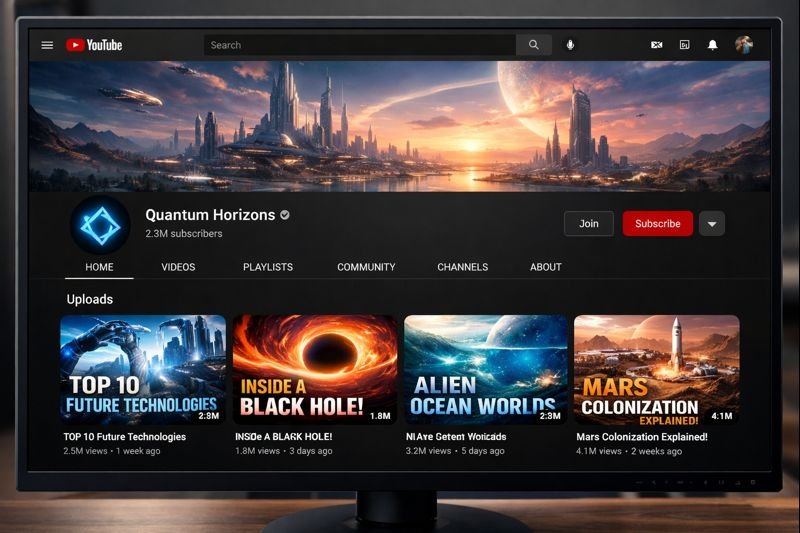
You don’t need to appear on camera to create useful YouTube videos.
A faceless YouTube channel lets you create videos using narration, screen recordings, animation, stock footage, graphics, AI-generated visuals, or other formats without making your face the focus of every video.
AI can now help with several parts of that process—from researching ideas and outlining scripts to creating voiceovers, visuals, captions, and thumbnails.
But there is an important difference between:
using AI to help you create original videos
and
automatically producing large numbers of generic videos.
That difference matters if you eventually want to monetize your channel.
YouTube’s current monetization policies expect content to be original and authentic. Generic, repetitive, or mass-produced videos created mainly to generate views may not qualify for monetization.
So this guide won’t promise that AI can build a successful channel for you automatically.
Instead, we’ll show you how to use AI as a production assistant while still creating videos that offer viewers something useful and original.
Updated October 2026: This guide was reviewed against YouTube’s current AI disclosure and monetization guidance, along with current information from the AI tools discussed below.
Quick Answer: Can You Start a Faceless YouTube Channel With AI?
Yes.
AI can help you:
- Research video topics
- Organize ideas
- Draft scripts
- Generate voiceovers
- Create images
- Produce short AI video clips
- Generate captions
- Brainstorm titles
- Design thumbnails
- Repurpose longer videos into Shorts
But AI should not replace your judgment.
You still need to decide:
- What your channel is about
- Who your audience is
- Whether the information is accurate
- Which visuals you have permission to use
- How the final video is edited
- What makes your content different from similar channels
A strong faceless channel should feel like a real publication or creator brand, not an automated content factory.
What Is a Faceless YouTube Channel?
A faceless YouTube channel is simply a channel where the creator does not regularly appear on camera.
The videos might use:
- Voiceover + stock footage
- Screen recordings
- Animated explainers
- Slides and diagrams
- Gameplay
- Product demonstrations
- Data visualizations
- AI-generated images or clips
- Tutorials recorded directly from a computer or phone
There is nothing about the basic concept that requires AI.
AI simply gives creators additional tools for producing some of these elements faster.
Can Faceless AI Channels Be Monetized?
Potentially, yes.
YouTube’s monetization policies focus heavily on whether content is original, authentic, and valuable to viewers, not whether the creator’s face appears in the video.
YouTube specifically says monetized content should not be mass-produced, generic, repetitive, or manipulative. Videos that follow a similar format can still qualify when the substance of each video is meaningfully different and provides educational, creative, or entertainment value.
That means a faceless channel using AI can still have a path toward monetization.
But this workflow is risky:
AI writes generic script → AI voice reads it → random stock clips → upload hundreds of similar videos.
A safer approach is:
Research topic → add your own angle → use AI for assistance → verify facts → edit deliberately → create useful visuals → publish something genuinely worth watching.
AI should reduce production friction.
It should not remove originality.
What YouTube Means by Generic or Repetitive Content
YouTube reviews monetized channels for originality and authenticity.
According to YouTube, repetitive or generic content can include material that feels templated or mass-produced across many videos. At the same time, using the same intro, outro, or general format is not automatically a problem if the actual substance of each video is meaningfully different.
For example, a channel could publish:
- Five different software tutorials
- A weekly AI-tool review
- A series of historical explainers
- Multiple business case studies
using a consistent visual style.
The important part is that every video provides its own information, story, analysis, demonstration, or educational value.
Step 1: Choose a Sustainable Niche
Many beginner guides tell you to choose a niche with:
“High CPM and low competition.”
That sounds attractive, but it isn’t enough.
A better niche has four characteristics.
You Understand or Want to Learn the Subject
AI can help you research, but you should still understand enough about the topic to recognize bad information.
If you’re interested in technology, for example, you might build around:
- AI tutorials
- Productivity software
- Website tools
- Excel tips
- Smartphone tutorials
If you’re interested in history, the channel might focus on historical stories or explainers.
You Can Create Many Distinct Video Ideas
Before committing to a niche, try writing at least 30 useful video ideas.
If you struggle to find 10, the niche may be too narrow.
For example, instead of:
“One specific AI photo tool”
you might choose:
“AI tools for creators”
That gives you room for:
- Tutorials
- Comparisons
- New features
- Workflows
- Mistakes
- Case studies
- Tool reviews
The Topic Works Without Showing Your Face
Ask yourself:
Can I explain this effectively using screenshots, demonstrations, diagrams, licensed footage, animation, narration, or generated visuals?
Some topics naturally work better in a faceless format than others.
The Topic Solves a Real Viewer Problem
This is more important than simply choosing something with a supposedly high CPM.
Good YouTube topics often answer questions like:
- How do I do this?
- Which tool should I use?
- Why is this happening?
- What changed?
- How can I save time?
- What should I avoid?
Choose a topic where viewers have a clear reason to watch.
Step 2: Research Video Ideas


AI is useful for brainstorming, but don’t ask it to magically identify guaranteed high-volume, low-competition keywords.
Instead, use several signals.
Look at:
- YouTube search suggestions
- Popular videos in your niche
- Viewer comments
- Questions people repeatedly ask
- Google Trends
- Related Google searches
- Community forums
- Current product updates
- Your own audience questions
Then use AI to organize the information.
For example, you could ask:
I want to create a beginner-friendly YouTube channel about AI tools for small businesses. Give me 30 video ideas divided into tutorials, comparisons, mistakes, workflows, and new-feature explainers. Avoid duplicate topics.
That gives AI a clear job:
organizing ideas
rather than pretending it knows which keyword will guarantee success.
Step 3: Research Before Writing the Script
Don’t ask AI to write an entire video based only on a vague prompt and immediately record it.
Start with research.
For a software tutorial, check:
- Official documentation
- Current pricing
- Recent feature changes
- Product limitations
- Your own testing where possible
For educational content, identify credible primary or authoritative sources first.
Then use AI to help organize what you’ve learned.
This is especially important because AI assistants can sometimes generate incorrect facts or nonexistent information.
If you’re unfamiliar with this problem, read our AI Hallucinations Explained: Why AI Gives Wrong Answers guide.
For a practical verification workflow, see How to Fact-Check AI Answers: 7 Simple Steps Before You Trust Them.
Step 4: Use AI to Draft an Original Script
Once you understand the topic, AI can help turn your research into a structured script.
A useful prompt might be:
Create a beginner-friendly YouTube script about [TOPIC].
Audience: complete beginners.
Start with the viewer’s problem instead of a long introduction.
Explain the topic step by step.
Use short sentences suitable for narration.
Include practical examples.
Do not invent facts, statistics, prices, or sources.
Clearly mark anything that requires verification.
End with one practical takeaway rather than exaggerated promises.
Then edit the result yourself.
Remove:
- Repetitive phrases
- Unnecessary introductions
- Generic motivational language
- Claims you cannot verify
- Sentences that don’t sound natural when spoken
Add:
- Your own observations
- Better examples
- Screenshots you’ve taken
- Actual tool demonstrations
- Commentary
- Comparisons
- Context AI may have missed
If you want better results from AI prompts, see our guide on How to Write Perfect AI Prompts.
Step 5: Create the Voiceover

You have several options.
Option 1: Use Your Own Voice
You don’t have to appear on camera to narrate a video.
Recording your own voice can give a faceless channel more personality and avoids many licensing questions associated with third-party AI voices.
A basic phone microphone in a quiet room can be enough to begin.
Option 2: Use an AI Voice
Tools such as ElevenLabs can generate natural-sounding narration.
However, this is an area where beginners need to pay attention to commercial-use rights.
As of October 2026, ElevenLabs offers a free plan with 10,000 monthly credits, but the free plan does not include a commercial license. Paid plans include commercial usage rights subject to ElevenLabs’ terms.
So if your goal is eventually to monetize videos, don’t assume that audio generated under every free AI plan can automatically be used commercially.
Always check the current license.
Don’t Chase a “Magic” Voice Setting
There is no universal stability, similarity, speed, or style setting that works perfectly for every script.
Generate a short sample first.
Listen for:
- Mispronounced names
- Robotic pauses
- Incorrect emphasis
- Strange emotion
- Unnatural pacing
Then adjust.
Step 6: Create or Source Visuals Legally
A faceless video still needs something worth looking at.
You can combine several visual types.
Screen Recordings
These are ideal for:
- Software tutorials
- AI-tool guides
- Website demonstrations
- Productivity workflows
They can also make your content much more original because the viewer sees what you’re actually doing.
Your Own Graphics
You can create:
- Charts
- Diagrams
- Timelines
- Comparison tables
- Checklists
- Simple animations
This is often more useful than filling a video with generic stock footage.
Licensed Stock Footage
Stock footage can help with storytelling, but check the license for your intended use.
Don’t assume that every image or video found online is free to reuse.
AI-Generated Images
Leonardo AI is one option for creating custom visuals.
As of October 2026, Leonardo’s free plan provides 150 fast tokens per day. Its current documentation says free-plan creations are public and Leonardo retains ownership, while users receive a royalty-free license that can include commercial use; paid tiers provide different ownership/privacy terms.
That illustrates why reading licensing terms matters.
“Free to generate” and “you own everything privately” are not necessarily the same thing.
AI-Generated Video
AI video can be useful for short illustrative scenes.
HeyGen, for example, currently offers a free tier allowing 3 videos per month, up to 1 minute each. Higher limits and features require paid plans.
That makes a free AI-video plan useful for testing or short segments, but not necessarily suitable for producing an entire long-form channel at scale.
Step 7: Edit the Video

Editing is where separate pieces become an actual video.
Your basic timeline might look like:
Hook → explanation → example → demonstration → takeaway
For beginners, CapCut is one possible editing tool.
Its Auto Captions feature is currently supported on web, desktop, and mobile, although advanced functionality can vary by platform and region. CapCut itself recommends manually checking automatically generated subtitles because accents, background noise, and speech quality can cause errors.
During editing:
- Remove long pauses
- Cut repeated information
- Keep visuals relevant to the narration
- Correct automatic captions
- Use music carefully
- Avoid distracting transitions
- Check audio volume
- Make sure text can be read on mobile
AI can speed up editing tasks.
The final quality still depends on your decisions.
Step 8: Create a Strong Title and Thumbnail
A good title should make the video’s value clear without promising something the video cannot deliver.
Instead of:
THIS AI SECRET MADE ME $10,000 OVERNIGHT!
use something descriptive, such as:
How to Create a Faceless YouTube Video With AI
or:
I Tried 5 AI Tools for Creating YouTube Videos
The second title works particularly well if you actually tested the tools.
Creating Thumbnails
You can use tools such as Canva to create YouTube thumbnails from templates or AI-assisted designs.
Canva currently provides YouTube thumbnail templates and an AI thumbnail maker that can generate ideas from a text description.
For beginners, keep the thumbnail simple.
Try:
- One strong visual
- Large readable text
- High contrast
- One clear idea
Avoid filling the thumbnail with ten tiny elements.
Step 9: Upload the Video and Handle AI Disclosure Correctly
Using AI somewhere in your workflow does not mean every video automatically needs an AI disclosure.
YouTube says creators generally do not need disclosure simply for production assistance such as using generative AI to help create:
- An outline
- A script
- A title
- A thumbnail
- An infographic
- Captions
- Ideas
YouTube also lists cloning your own voice for voiceovers or dubs among examples that do not normally require disclosure.
However, YouTube requires disclosure when AI is used to create or meaningfully alter realistic content in ways that could affect a viewer’s understanding of what actually happened.
Examples include:
- Making a real person appear to say something they did not say
- Altering footage of a real event or place
- Generating a realistic event that never happened
- Certain realistic synthetic audio or video
YouTube also lists AI-generated music among examples that require disclosure.
The disclosure option appears in YouTube Studio during upload.
Importantly, YouTube says making the required AI disclosure does not itself reduce a video’s eligibility to earn money.
So the best rule is:
When realistic synthetic content could make viewers believe something actually happened, disclose it.
Don’t hide AI usage when YouTube requires transparency.
A Practical AI Tool Stack for a Faceless Channel
You do not need ten subscriptions.
Start with the smallest stack that solves your problem.
| Task | Possible tool | What to know |
|---|---|---|
| Ideas and scripting | ChatGPT or Claude | Verify important facts and edit the output |
| Voiceover | Your own voice or ElevenLabs | ElevenLabs free outputs are not licensed for commercial use |
| AI visuals | Leonardo AI | Free tier has daily tokens; free generations have different ownership/privacy terms |
| AI avatar/video | HeyGen | Free tier is limited to a few short videos |
| Editing | CapCut | Core editing/captions are useful; feature availability varies |
| Thumbnail | Canva | Templates and AI-assisted thumbnail creation are available |
You can also explore additional options in our guide to 5 Free AI Tools You Probably Haven’t Tried Yet.
Don’t choose tools because everyone on social media recommends them.
Choose tools that remove a specific bottleneck in your workflow.
How Much Does It Cost to Start?
It is possible to begin experimenting at very low cost.
A basic setup might use:
- Your existing phone or computer
- Your own voice
- Free editing software
- Free design tools
- Screen recordings
- Free or appropriately licensed visuals
But be careful with the phrase:
“Completely free AI YouTube automation.”
Some free AI plans restrict:
- Commercial use
- Number of generations
- Export quality
- Watermark removal
- Private generations
- Video duration
- Monthly credits
If monetization is your goal, check licensing before building an entire channel around a free plan.
YouTube Monetization Requirements in 2026
As of October 2026, full YouTube Partner Program access to advertising revenue generally requires:
1,000 subscribers, plus either:
- 4,000 qualified public watch hours during the previous 12 months, or
- 10 million qualified public Shorts views during the previous 90 days.
In eligible countries, YouTube also has an expanded YPP level that can provide earlier access to features such as memberships, Super Thanks, Super Chat, and Shopping.
That level currently starts at:
500 subscribers + 3 public uploads in the previous 90 days, plus either:
- 3,000 qualified public watch hours during the previous 12 months, or
- 3 million qualified public Shorts views during the previous 90 days.
Meeting a numerical threshold does not automatically guarantee approval.
YouTube still reviews the channel against its monetization policies.
Important 2027 Change
YouTube has announced that for new creators starting February 1, 2027, the full ad/Premium entry threshold will change to:
- 1,000 subscribers + 8,000 qualified watch hours, or
- 1,000 subscribers + 20 million qualified Shorts views.
YouTube says creators already in YPP will not lose their status because of this threshold change.
Because monetization requirements can change, always check YouTube’s current official YPP page before applying.
Common Faceless YouTube Mistakes
Mass-Producing Generic Videos
Publishing 50 almost-identical videos isn’t necessarily better than creating five useful ones.
YouTube specifically evaluates repetitive and mass-produced content during monetization review.
Copying Competitors
Competitor research is useful.
Copying their script, structure, footage, or thumbnail is not a content strategy.
Study what viewers want, then create your own version with meaningful additional value.
Using AI Without Fact-Checking
A confident AI voice reading incorrect information is still incorrect information.
Verify:
- Statistics
- Dates
- Quotes
- Product pricing
- Research
- News
- Legal or financial claims
Using Media Without Checking Rights
Don’t download random clips, music, or images from the internet simply because you can access them.
Check whether you have permission to use the material in your video.
Assuming Every Free AI Tool Allows Commercial Use
This is an easy mistake.
ElevenLabs is a good example: its free plan can be used for experimentation, but content generated under the free plan is not licensed for commercial purposes.
Always check the terms for the actual plan you’re using.
Creating Misleading Synthetic Content
If an AI-generated video makes a real person or real event appear to do something that didn’t happen, YouTube may require disclosure.
Trying to hide required disclosure can create unnecessary policy risk.
Focusing Only on Subscriber Count
Subscribers matter, but they are not the whole channel.
Also look at:
- Click-through rate
- Average view duration
- Audience retention
- Returning viewers
- Comments
- Topics that consistently attract viewers
Use those signals to improve the next video.
A Realistic 30-Day Starter Plan
You do not need to publish daily.
Use your first month to build a repeatable process.
Week 1 — Build the Foundation
- Pick one channel topic.
- Define the target viewer.
- Research at least 30 video ideas.
- Study 5–10 established channels.
- Choose your basic tool stack.
- Create simple channel branding.
Do not copy competitor videos.
Study what questions they answer and what you could explain better.
Week 2 — Produce Your First Videos
Create your first 2–3 videos.
Focus on learning:
- Scripting
- Narration
- Visual pacing
- Editing
- Thumbnails
- Upload workflow
Your first videos do not need to look like a channel with a professional production team.
They do need to be understandable and useful.
Week 3 — Improve the Workflow
Look at what took the most time.
Was it:
- Research?
- Voiceover?
- Finding visuals?
- Editing?
- Thumbnails?
Use AI specifically where it can reduce that bottleneck.
Avoid adding another AI subscription unless it solves a clear problem.
Week 4 — Review the Data
Look at your YouTube analytics.
Ask:
- Which title earned more clicks?
- Where did viewers stop watching?
- Which topic got more watch time?
- Which video attracted comments?
- Which thumbnail performed better?
Then use those lessons to plan the next month.
The goal of the first 30 days is not to become famous.
It is to develop a production system you can realistically maintain.
Should You Use AI Avatars?
AI avatars can work for some types of content, particularly:
- Tutorials
- Corporate explainers
- Training videos
- Multilingual videos
- Simple spokesperson content
But an avatar isn’t automatically better than narration plus screen recordings or graphics.
Ask yourself:
Does the avatar help the viewer understand the content?
If the answer is no, don’t use it simply because the technology exists.
Should You Make Long Videos or Shorts?
You can use both.
Long-Form Videos
Useful for:
- Tutorials
- Reviews
- Comparisons
- Case studies
- Educational explainers
Long-form videos can contribute qualified watch hours toward YPP eligibility.
Shorts
Useful for:
- Quick tips
- Highlights
- Short demonstrations
- Repurposed ideas from longer videos
But Shorts views have their own YPP eligibility pathway, and watch time from Shorts in the Shorts Feed does not count toward the long-form watch-hour threshold.
Choose the format based on the idea rather than forcing every topic into the same length.
Is a Faceless YouTube Channel Passive Income?
Not at the beginning.
A faceless format can reduce the need for cameras, lighting, makeup, or appearing on screen.
AI can also reduce time spent on repetitive production tasks.
But you still need to:
- Research
- Plan
- Verify information
- Edit
- Publish
- Test thumbnails
- Read analytics
- Improve videos
Treat the channel like a content project rather than an automatic money machine.
Final Thoughts
AI has made it easier to start a faceless YouTube channel.
It can help brainstorm ideas, structure scripts, produce narration, generate visuals, create captions, and speed up editing.
But the strongest use of AI is not:
“Create everything for me.”
It is:
“Help me create this better and faster.”
A sustainable faceless channel still needs:
**A clear audience
- useful ideas
- original value
- accurate information
- thoughtful editing
- consistent improvement**
Start with one niche.
Create a few genuinely useful videos.
Learn what your audience responds to.
Then improve your process.
That is a much stronger foundation than trying to automate hundreds of generic videos from day one.
Frequently Asked Questions
Can a faceless YouTube channel be monetized?
A faceless format itself does not prevent monetization. YouTube evaluates whether content follows its monetization policies, including requirements around originality, authenticity, and repetitive or mass-produced content.
Does YouTube allow AI-generated videos?
AI can be used in YouTube production. However, creators may need to disclose realistic AI-generated or meaningfully altered content under YouTube’s current AI disclosure policy.
Do I need to disclose if ChatGPT helped write my script?
YouTube lists production assistance such as using AI for scripts, outlines, titles, thumbnails, infographics, and ideas among examples that generally do not require AI disclosure.
Does disclosing AI content hurt monetization?
YouTube says required AI disclosure does not itself reduce a video’s audience or eligibility to earn money.
Can I use an AI voice for monetized YouTube videos?
Potentially, but you must check the commercial-use terms of the voice service and plan you’re using. For example, ElevenLabs’ free plan currently does not include commercial usage rights.
Can I start a faceless YouTube channel for free?
You can begin with free tools, your own narration, screen recordings, and appropriately licensed assets. However, many AI services use freemium plans with generation, export, or commercial-use restrictions.
How many videos should I upload each week?
There is no universal number. Choose a schedule that lets you consistently produce useful videos without reducing quality.
How long does it take to monetize a faceless YouTube channel?
There is no guaranteed timeline. Growth depends on factors such as niche, video quality, viewer interest, click-through rate, watch time, competition, and consistency.
Is AI YouTube automation passive income?
Not realistically at the beginning. AI can automate or accelerate parts of production, but channel strategy, fact-checking, editing, optimization, and audience development still require ongoing work.
Sources & Further Reading
YouTube — Channel Monetization Policies
YouTube — Partner Program Overview & Eligibility
YouTube — Expanded YouTube Partner Program
YouTube — Disclosing Use of Generative AI Content
YouTube — Changes to the YouTube Partner Program
ElevenLabs — Pricing
ElevenLabs — Commercial Usage and Publishing Rules
HeyGen — Pricing
Leonardo AI — Pricing
CapCut — Auto Captions Documentation


