Artificial intelligence can help students summarize notes, explain difficult concepts, and create practice questions. Now ChatGPT can also turn those notes directly into interactive flashcards.
OpenAI introduced ChatGPT’s built-in flashcards feature in September 2026. Instead of asking ChatGPT to give you a plain text list of questions and answers, you can now create an interactive deck that you can flip through, mark as correct or incorrect, shuffle, edit, and save for later review.
This makes the feature useful for students preparing for exams, professionals learning new concepts, language learners, and anyone who wants a faster way to review information.
In this guide, we’ll show you how ChatGPT flashcards work, how to create them from your own notes, useful prompts to try, and what you should check before relying on AI-generated study material.
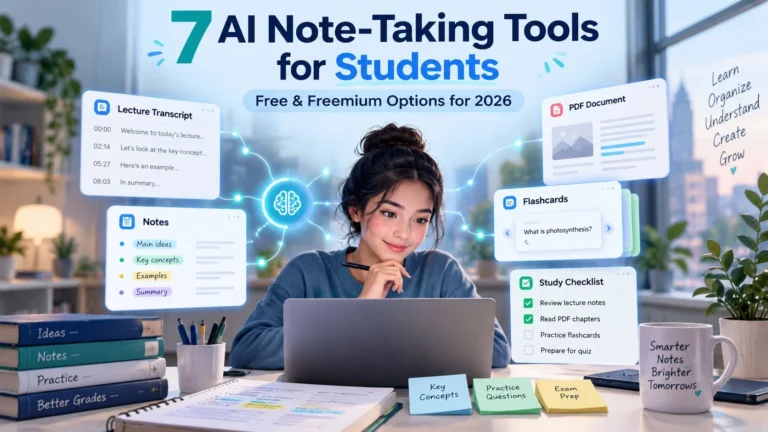
If you already use AI for studying, you may also want to explore our guide to 7 Free AI Tools for Note-Taking and Study Planning.
Quick Answer: Can ChatGPT Make Flashcards?
Yes.
ChatGPT can now create interactive flashcards directly inside a conversation.
You can ask it to make flashcards about a topic such as biology, history, marketing, or vocabulary, or you can upload your own study notes and ask ChatGPT to convert them into a flashcard deck.
According to OpenAI, the cards can be flipped to reveal the answer, marked with a check when you know the answer or an X when you want to practice it again, shuffled into a different order, edited, and saved automatically in your ChatGPT library.
The feature is available on web and mobile across all ChatGPT plans.
How to Create Flashcards in ChatGPT
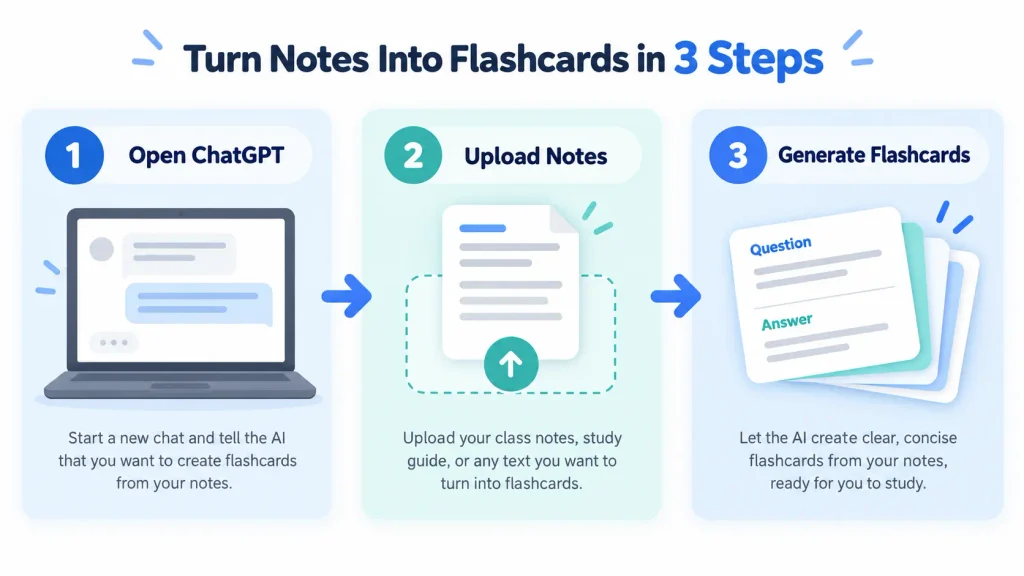
Creating a deck is straightforward.
Step 1: Open ChatGPT
Start a normal ChatGPT conversation on the web or mobile app.
You do not need to install a separate flashcard application to create the built-in cards.
Step 2: Tell ChatGPT What You Want to Study
You can start with a simple request such as:
Create flashcards to help me learn the basics of digital marketing.
ChatGPT can create a deck around the topic directly.
For better results, tell it your level and what you are preparing for.
For example:
Create 20 beginner-friendly flashcards about human anatomy for a first-year college exam. Keep each answer short and focus on important definitions.
Clear instructions generally make it easier for the AI to understand the type of material you want.
If you want to improve the way you give instructions to AI, our guide on How to Write Better AI Prompts explains the basics.
Step 3: Upload Your Own Notes
This is probably the most useful way to use the feature.
Instead of allowing ChatGPT to decide what information belongs in your study deck, upload your own:
- Class notes
- Study guide
- Lecture notes
- Reading material
- Revision notes
- Course summary
Then ask:
Turn these notes into flashcards. Focus only on the information in the uploaded document and prioritize concepts likely to require memorization.
OpenAI specifically says ChatGPT can create flashcards from notes that you upload.
Using your own notes can also make it easier to check whether the cards accurately represent the material you are studying.
How to Review ChatGPT Flashcards
Once ChatGPT creates the deck, the cards are interactive.
Read the question on the front and try to recall the answer before revealing it.
Tap the card to flip it.
Then you can mark the result:
✔️ if you knew the answer.
❌ if you want to practice that card again later.
You can also shuffle the deck so you are not memorizing answers based only on the order of the cards.
This creates a much more useful review experience than simply reading a list of questions and answers from top to bottom.
Your Flashcards Are Saved Automatically
One useful part of the feature is that you do not have to recreate the same deck every time you study.
ChatGPT automatically saves created flashcards in your library.
You can return to a saved deck later from the library or ask ChatGPT to bring the flashcards back for another review session.
That means you could create separate decks for:
| Subject | Example deck |
|---|---|
| Biology | Cell structure and functions |
| History | Important dates and events |
| Marketing | SEO and advertising terminology |
| Languages | Vocabulary and phrases |
| Coding | Programming concepts |
| Exams | Important facts from your revision notes |
Keeping decks focused on one topic may make them easier to review than creating one huge deck covering an entire course.
You Can Edit the Flashcards Too
The first deck does not have to be final.
OpenAI says you can ask ChatGPT to add or modify cards in the conversation.
For example:
Add five more cards about mitochondria.
Or:
Rewrite the answers using simpler language.
Or:
Remove cards that only test minor details and focus on concepts likely to appear in an exam.
You can also ask ChatGPT to change the difficulty.
For example:
Make these flashcards harder and require me to explain the concept instead of recalling only one-word answers.
This makes the feature more useful than simply generating a fixed set of questions once.
Useful ChatGPT Flashcard Prompts
The quality of your deck depends partly on the instructions you provide.
Here are some prompt patterns worth trying.
For exam revision
Turn these notes into 25 flashcards for exam revision. Prioritize definitions, important facts, processes, and concepts students commonly confuse.
For beginners
Create beginner-friendly flashcards about photosynthesis. Use simple language and keep each answer under three sentences.
For difficult concepts
Create flashcards that test whether I understand the concept rather than only memorizing definitions. Include a short explanation on the back of each card.
For language learning
Create flashcards for beginner French phrases used in restaurants. Put the French phrase on the front and the English meaning plus a simple example on the back.
For uploaded notes
Create flashcards using only the information in this file. Do not add facts that are not supported by my notes.
That last instruction is especially useful when you need the flashcards to stay closely aligned with course material.
ChatGPT Flashcards vs ChatGPT Study Mode
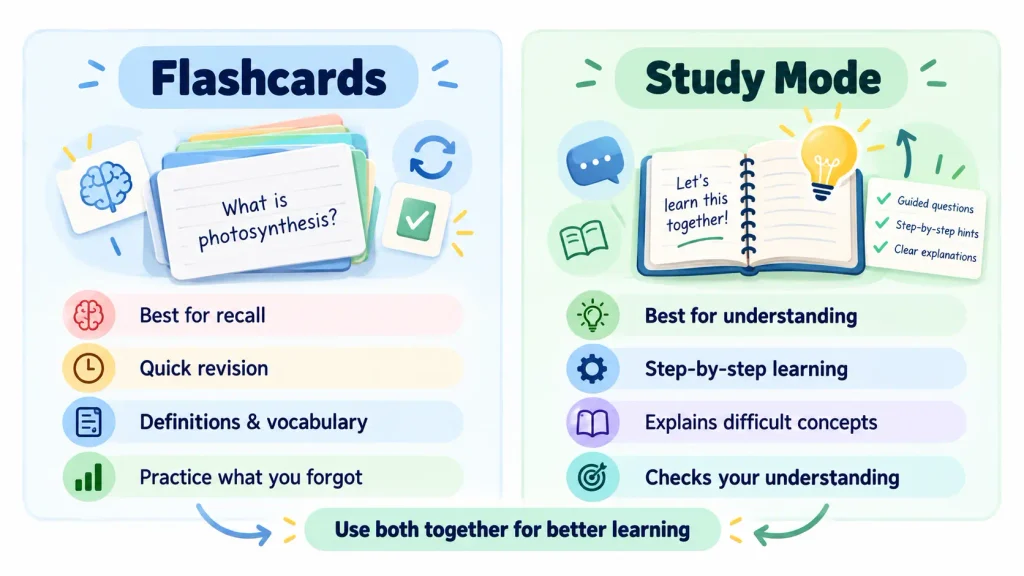
These two features can complement each other, but they solve slightly different problems.
| Feature | Best for |
|---|---|
| Flashcards | Recall, definitions, vocabulary, facts and revision |
| Study Mode | Learning a concept step by step and checking understanding |
ChatGPT Study Mode is designed to guide the learner through a subject rather than simply giving a final answer. It can ask questions, explain topics step by step, work through problems, review class material, and check understanding.
A practical workflow could therefore be:
Study Mode → learn the topic → Flashcards → review what you learned
For example, you could use Study Mode to understand how photosynthesis works and then create flashcards to remember the key terms, stages, and definitions.
Should You Trust Every AI-Generated Flashcard?
No.
This is particularly important for students.
ChatGPT can make mistakes, and OpenAI itself recommends checking generated flashcards against your original notes or study guide, especially before an exam.
A flashcard could contain:
- An incorrect date
- An oversimplified definition
- A misunderstood concept
- An unsupported fact
- Information that was not present in your notes
So if accuracy matters, review the deck before relying on it.
A good habit is to use your original study material as the reference.
If something looks questionable, verify it.
Our How to Fact-Check AI Answers guide explains a simple seven-step process for checking AI-generated information.
You can also read AI Hallucinations Explained: Why AI Gives Wrong Answers if you want to understand why an AI system can occasionally generate information that sounds correct even when it is not.
A Better Study Workflow Using ChatGPT Flashcards
Rather than asking ChatGPT to create hundreds of flashcards at once, I would use the feature in smaller stages.
Start with one chapter, topic, or lecture.
Upload the relevant notes.
Ask ChatGPT for approximately 15–25 cards covering the most important concepts.
Review the deck once.
Mark the cards you know and the ones you miss.
Then ask ChatGPT to simplify, expand, or replace unclear cards.
Finally, verify any questionable answers against your original source material.
This approach keeps the study session focused and makes it easier to catch errors.
Who Could Benefit From This Feature?
ChatGPT flashcards may be particularly useful for students, but they are not limited to traditional studying.
A job candidate could create flashcards for interview terminology.
A marketer could review advertising metrics and SEO concepts.
A programmer could practice common commands or programming concepts.
A language learner could review vocabulary.
A new employee could turn training material into quick revision cards.
The useful part is not necessarily the flashcard format itself.
It is the ability to quickly turn information you already have into something easier to practice repeatedly.
What ChatGPT Flashcards Cannot Replace
Flashcards are best for review and recall.
They should not replace understanding.
Memorizing:
“Mitochondria produce energy for the cell”
is useful.
But understanding how cellular respiration works requires deeper learning than one flashcard can provide.
Similarly, memorizing a programming definition does not mean you can actually write a working program.
Use flashcards as one part of studying rather than treating them as the entire learning process.
Are ChatGPT Flashcards Free?
OpenAI says the flashcards feature is available across all ChatGPT plans on web and mobile.
That means users do not need a dedicated paid ChatGPT subscription simply to access the feature.
However, normal ChatGPT usage limits and plan restrictions can still apply depending on your account and the models or other features you use.
Final Thoughts
ChatGPT flashcards are a simple addition, but they solve a practical problem.
Instead of manually copying notes into a separate flashcard app, you can upload your study material, ask ChatGPT to create a deck, review the cards interactively, mark difficult questions, edit the content, and return to the saved deck later.
For students, the most useful approach is probably:
Upload your own notes → generate a focused deck → review it → verify questionable answers → practice the cards you missed.
That gives you the speed of AI without treating AI-generated study material as automatically correct.
Used carefully, ChatGPT flashcards can be a useful addition to a broader study routine.
Frequently Asked Questions
Can ChatGPT create flashcards from my notes?
Yes. OpenAI says you can upload notes and ask ChatGPT to turn them into interactive flashcards.
Are ChatGPT flashcards available for free users?
Yes. The feature is available across ChatGPT plans on web and mobile. Normal account and usage limits may still apply.
Does ChatGPT save my flashcards?
Yes. Created flashcard decks are automatically saved in the ChatGPT library so you can return to them later.
Can I edit a ChatGPT flashcard deck?
Yes. You can ask ChatGPT to add cards, rewrite cards, simplify explanations, or otherwise modify the deck in the conversation.
Can ChatGPT flashcards contain mistakes?
Yes. OpenAI warns that ChatGPT can make mistakes and recommends checking flashcards against your original notes or study guide, particularly before an exam.
Are flashcards better than ChatGPT Study Mode?
They serve different purposes. Flashcards are useful for recall and revision, while Study Mode is designed for guided learning and deeper understanding. Using both together may be more useful than choosing only one.
Sources & Further Reading
OpenAI — Flashcards in ChatGPT
Open the official flashcards guide
OpenAI — ChatGPT Release Notes, September 22, 2026
Open ChatGPT release notes
OpenAI — Using Study Mode in ChatGPT
Open the Study Mode guide